
Checking your IPO allotment status is one of the most searched steps in the entire IPO process and the easiest way to do it is with your PAN number. You don’t need your application number or demat details; your PAN alone can pull up your complete IPO allotment status across every application linked to it. This guide covers every method to check IPO allotment status by PAN, what each result means, and what to do next.
What Does IPO Allotment Status Mean?
IPO allotment status tells you whether the shares you applied for during an IPO have actually been allocated to you. When an issue is oversubscribed, the registrar runs a lottery for retail applicants under SEBI rules, so checking your allotment status is the only way to know for certain whether you received shares, and if so, how many.
When Does IPO Allotment Status Get Released?
Under the current T+3 listing cycle, IPO allotment status is usually finalized within 1 to 2 working days of the subscription closing. Here’s the typical timeline:
- IPO closes: Subscription window ends
- Allotment status finalized: Usually the next working day
- Refund/unblocking of funds: 1–2 days after allotment status is announced
- Shares credited to demat: A day before listing
- Listing day: Trading begins on the exchange
IPO allotment status typically goes live on the registrar’s website by the evening of the allotment date and remains accessible 24/7 afterward.
What You Need to Check IPO Allotment Status by PAN
To check your IPO allotment status using PAN, all you need is:
- Your 10-digit PAN number
- The IPO/company name you applied for
Checking allotment status via PAN is the most preferred method because it shows results for every application linked to that PAN — no need to track down a separate application number.
Method 1: Check IPO Allotment Status via the Registrar’s Website
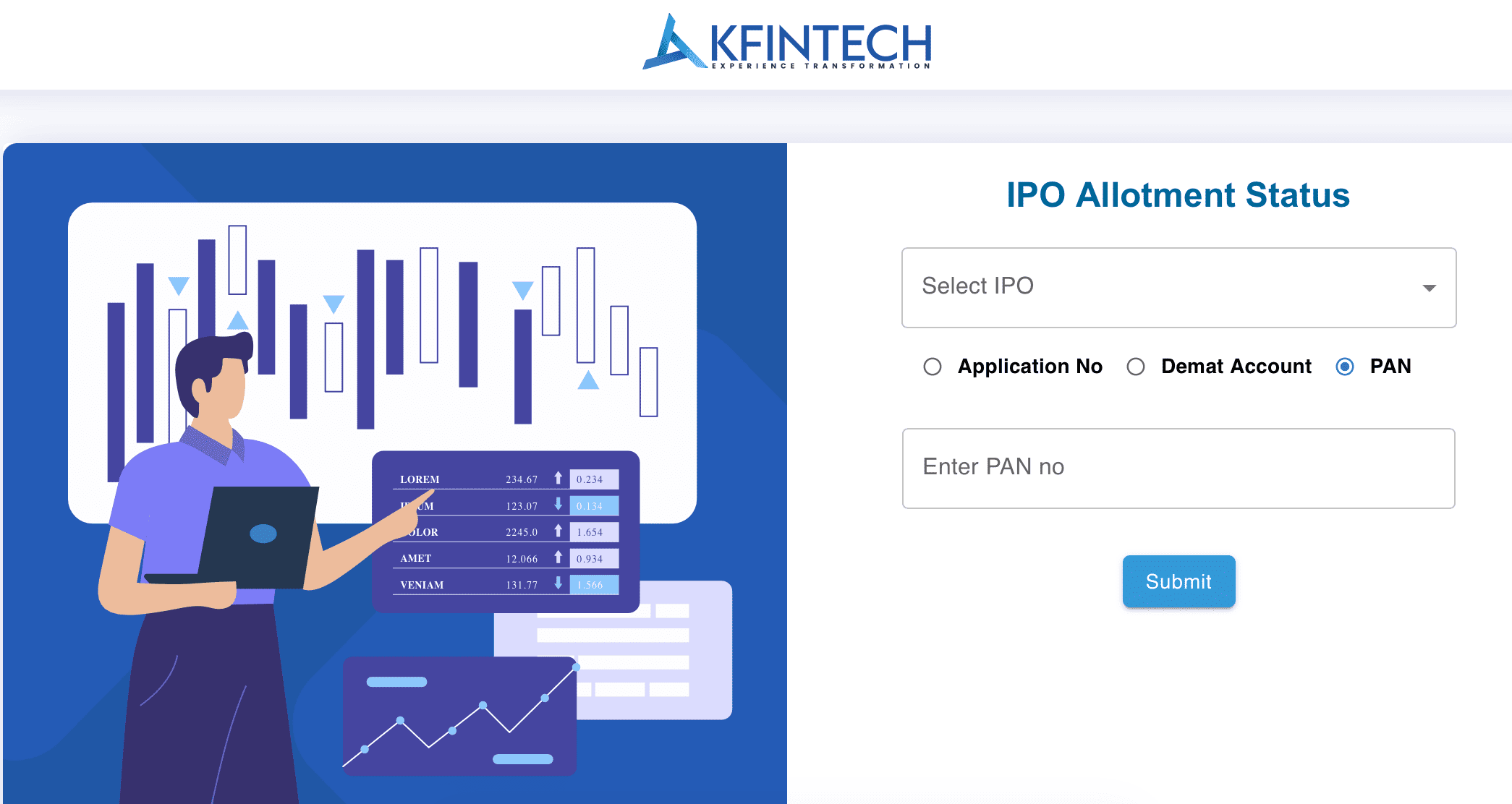
Every IPO is handled by a registrar — commonly KFintech, Link Intime (MUFG Intime), Bigshare, or Cameo. Here’s how to check your allotment status directly:
- Visit the official website of the registrar handling the IPO.
- Go to the “IPO Allotment Status” section.
- Select the IPO name from the dropdown (this appears once allotment status is finalized).
- Choose “PAN” as the search type.
- Enter your PAN number and the captcha shown.
- Click Submit to view your IPO allotment status instantly.
Method 2: Check IPO Allotment Status on BSE
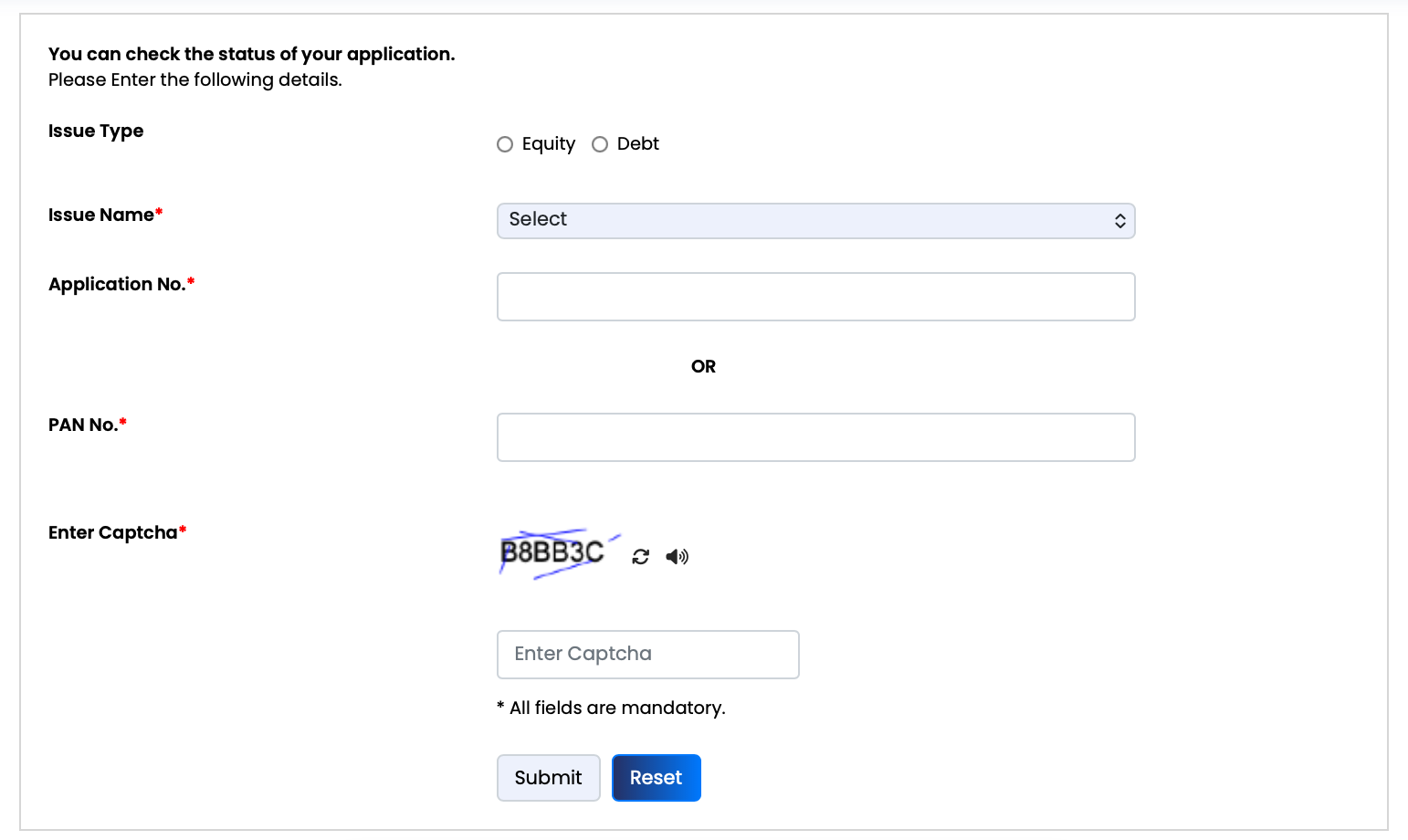
- Go to the BSE India website (bseindia.com).
- Navigate to Investors → Status of Issue Application.
- Select “Equity” as the Issue Type.
- Choose the IPO name from the dropdown list.
- Enter your PAN number.
- Click Search to see your allotment status.
This works for most mainboard IPOs regardless of which registrar is managing them — making BSE a reliable backup for checking allotment status quickly.
Method 3: Check IPO Allotment Status on NSE
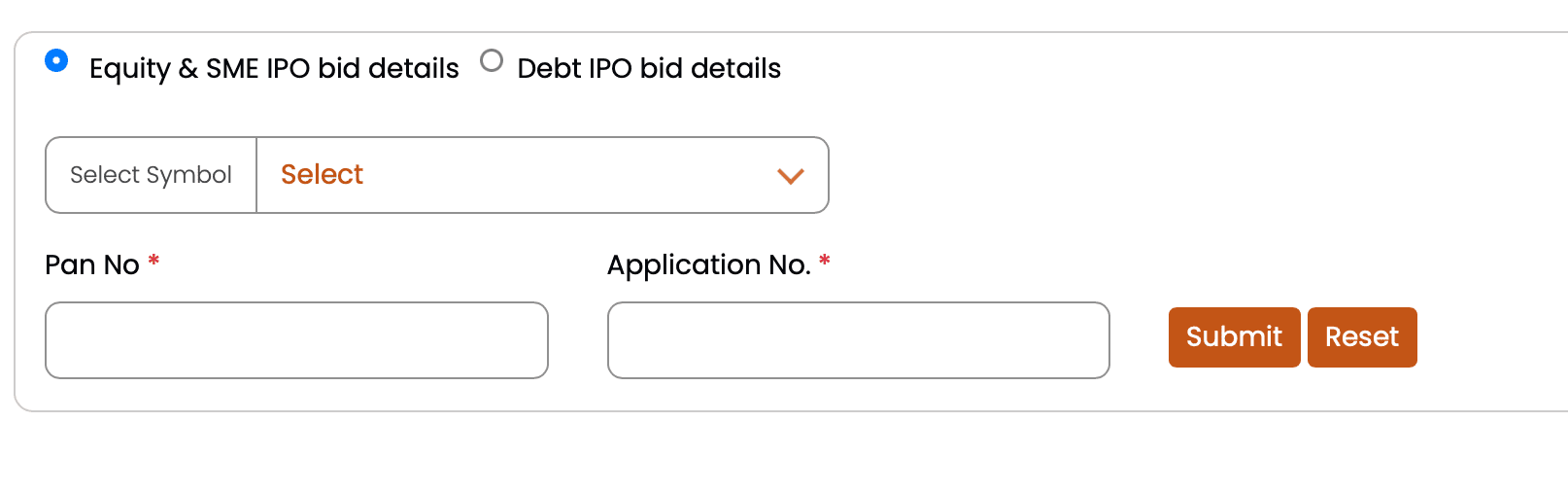
- Visit the NSE India IPO bid verification page.
- Complete a quick one-time sign-in, if prompted.
- Select the company/symbol.
- Enter your PAN number.
- Submit to view your IPO allotment status and bid details.
Method 4: Check Allotment Status via Your Broker App
Brokers like Zerodha, Groww, Angel One, and Upstox display allotment status directly in-app once the registrar releases the data.
- Log in to your broker’s app.
- Go to “IPO” or “Order Book.”
- Open “My Applications” or “IPO Orders.”
- Select the IPO to view your allotment status — Allotted, Not Allotted, or Pending.
Method 5: Check Allotment Status via Bank or UPI
Your bank account can also hint at your IPO allotment status before you even check officially:
- Amount debited → You’ve been allotted shares.
- Amount fully released → Not allotted; funds unblocked.
- Partial amount debited → Partial allotment, common in HNI/NII categories.
Understanding Your IPO Allotment Status Result
| Allotment Status | What It Means |
|---|---|
| Allotted | Shares are confirmed and will be credited to your demat account before listing. |
| Not Allotted | No shares were allocated; the blocked amount will be refunded automatically. |
| Partially Allotted | You received fewer shares than applied for — typical in oversubscribed NII/HNI categories. |
Why Your IPO Allotment Status May Show “Not Allotted”
- Oversubscription: More applications than available shares means allotment is decided by lottery.
- Bid below cut-off price: Book-built issues reject bids placed below the final cut-off price.
- UPI mandate not approved in time: A lapsed or unapproved mandate voids the application.
- Duplicate PAN applications: SEBI permits only one retail application per PAN; duplicates are rejected.
- Mismatched details: Incorrect PAN, demat ID, or name mismatch can invalidate an application.
What Happens After You Check Your IPO Allotment Status?
If your allotment status shows “Not Allotted,” there’s nothing you need to do — the blocked amount is automatically released back to your bank account within 1–2 working days. If your status shows “Allotted,” shares will reflect in your demat account shortly before the listing date.
Tips to Improve Your IPO Allotment Chances
- Apply for a single lot in high-demand IPOs — extra lots don’t improve your lottery odds in the retail category.
- Use separate demat accounts with unique PANs across family members to boost your overall odds of a favorable allotment status.
- Always bid at “Cut-off” price to remain eligible.
- Double-check your PAN, demat, and bank details before applying.
- Apply within the first two days of the subscription window rather than waiting until the last day.
Frequently Asked Questions on IPO Allotment Status
Yes. Checking by PAN is often easier since it doesn’t require your application number and shows results across all applications linked to your PAN for that IPO.
Allotted shares are usually credited to your demat account a day or two before the listing date.
This could be a temporary technical issue, or the allotment data for that IPO may not be finalized yet. Wait until the official allotment date, then try again. If the issue continues, contact the registrar or your broker with your PAN and application details.
Yes, as long as each account has a unique PAN and is held by a different individual. Multiple applications using the same PAN are not allowed and will be rejected.
Allotment status is typically available 1–2 working days after the IPO subscription closes, once the registrar finalizes the basis of allotment.
Some registrar portals allow you to view your allotment status for all recent IPOs linked to your PAN in one search, though this varies by registrar.
No, checking your IPO allotment status via PAN on the registrar, BSE, or NSE websites is completely free.
Disclaimer: This article is for educational and informational purposes only and does not constitute financial advice. IPO investments are subject to market risk. Please consult a SEBI-registered financial advisor before making investment decisions.